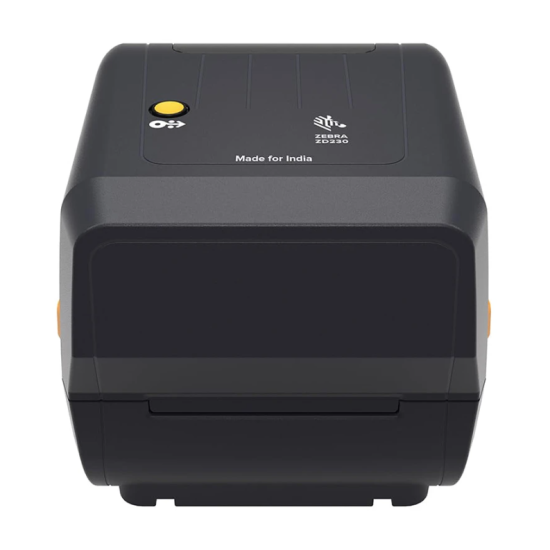
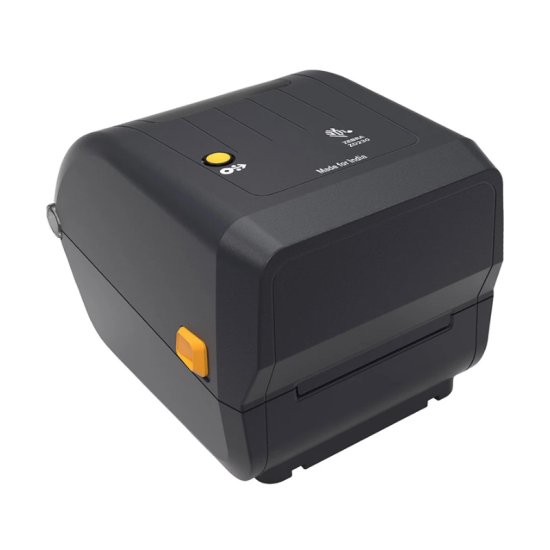
Zebra ZD230TA 4-Inch Desktop Label Printer
The Zebra ZD230TA is a compact desktop label printer designed for businesses that need dependable printing for barcode labels, product labels, shipping labels, retail tags, and other everyday identification applications. With a 203dpi print resolution and a maximum print width of around 4.09 inches, it provides a practical balance between print clarity, speed, and desktop convenience.
The ZD230 series is designed to provide reliable Zebra-quality printing in an accessible desktop format. It is suitable for retail stores, warehouses, logistics operations, healthcare environments, manufacturing facilities, offices, and other businesses where consistent label printing is required.
203dpi Printing Resolution
The ZD230TA uses a 203dpi print resolution, which is suitable for standard barcode labels, product identification labels, inventory tags, shipping labels, and text-based labels.
The 203dpi resolution provides clear printing of common 1D and 2D barcode formats while keeping the printer suitable for general-purpose label production.
4-Inch Print Width
The printer supports a maximum print width of approximately 4.09 inches, making it suitable for many commonly used retail, logistics, inventory, and shipping label formats.
Its compact desktop footprint allows it to be positioned conveniently at a workstation without requiring the larger space associated with industrial label printers.
Thermal Printing Technology
The Zebra ZD230 platform is available with direct thermal and thermal-transfer configurations. The ZD230TA designation should be matched against the exact local SKU before publishing the consumable type, because Zebra's model naming and regional configurations can vary.
For direct-thermal applications, labels can be printed without conventional ink cartridges or toner, reducing consumable complexity.
Reliable Label Printing
Zebra designed the ZD230 series as an entry-level desktop printer that maintains the company's established focus on reliable barcode and label printing. It is intended for businesses that require regular label production without the size and complexity of a larger industrial printer.
Typical applications include:
-
Product barcode labels
-
Inventory labels
-
Retail price tags
-
Shipping labels
-
Warehouse labels
-
Asset identification
-
Healthcare labels
-
Small business packaging
-
Product identification
USB Connectivity
The ZD230 platform supports USB connectivity, allowing it to be connected directly to a compatible desktop or laptop computer.
Depending on the exact configuration, additional connectivity options may be available. Therefore, the exact interface specification should be checked against the particular ZD230TA SKU supplied by the distributor.
Compact Desktop Design
The ZD230 is designed for desktop use and is considerably more compact than many industrial barcode printers. Its desktop-oriented construction makes it suitable for retail counters, office workstations, warehouses, small shipping stations, and other locations where space is limited.
The printer is designed for straightforward operation, making it suitable for businesses that want a dedicated label-printing device without a complicated installation process.
Zebra Printing Ecosystem
The ZD230 works within Zebra's broader barcode-printing ecosystem, providing compatibility with Zebra's established label and barcode-printing technologies. This makes it a practical option for businesses already using Zebra printers or planning to standardize their label-printing equipment.
Before purchasing, businesses should confirm the supported operating system, interface, label dimensions, media type, and exact printer configuration according to their intended application.
FAQ (Frequently Asked Questions)
1. What is the print resolution of the Zebra ZD230TA?
The printer is specified with a 203dpi print resolution, suitable for standard barcode, text, inventory, retail, and shipping labels.
2. What is the maximum print width?
The ZD230 platform supports a maximum print width of approximately 4.09 inches.
3. Is the Zebra ZD230TA suitable for barcode printing?
Yes. Its 203dpi resolution and desktop label-printing design make it suitable for common barcode and product-label applications.
4. What can the Zebra ZD230TA be used for?
It can be used for product labels, barcode labels, inventory tags, retail labels, shipping labels, warehouse identification, and similar applications.
5. Is the Zebra ZD230TA suitable for small businesses?
Yes. Its compact desktop design makes it suitable for small businesses, retail shops, offices, warehouses, and shipping stations.
6. Does the ZD230TA support USB?
Yes. The ZD230 platform supports USB connectivity for connection to compatible computers.
7. Does the ZD230TA use ink cartridges?
Zebra's ZD230 family uses thermal printing technology rather than conventional inkjet printing. However, the exact consumable type depends on the specific ZD230 configuration, so the local SKU should be verified before purchase.
8. Is 203dpi enough for barcode labels?
Yes. 203dpi is commonly suitable for standard retail, inventory, shipping, and barcode labels. Higher resolutions may be preferable for very small fonts or extremely dense graphics.
9. Is the Zebra ZD230 an industrial printer?
No. The ZD230 is designed as a desktop-class label printer, making it more suitable for moderate-duty applications than large industrial printing environments.
10. What should I check before purchasing the ZD230TA?
Confirm the exact model configuration, printing technology, interface, supported media size, label dimensions, operating-system compatibility, and warranty supplied by the local distributor.