

Tablet Price in Bangladesh
Looking for the latest Tablet Price in Bangladesh? IT SPACE offers a range of tablets for students, professionals, business users, home users, and entertainment. A tablet can be a convenient alternative to a smartphone when you need a larger display while still keeping your device lightweight and portable.
Modern tablets are suitable for online classes, studying, browsing, video streaming, social media, reading, office work, video calls, drawing, gaming, and everyday productivity. Depending on the model, you can choose from different screen sizes, processors, RAM, storage capacities, operating systems, connectivity options, and battery capacities.
Find the Right Tablet for Your Needs
Tablet for Students
A student tablet can be useful for online classes, digital textbooks, note-taking, research, presentations, educational applications, and video conferencing. A lightweight design, good battery life, responsive display, and sufficient storage can make a tablet convenient for everyday study.
If you plan to use a stylus for handwriting or drawing, check whether the specific tablet supports an active pen and whether the required accessories are included.
Android Tablet
Android tablets are available in different price ranges and specifications. They can be suitable for browsing, entertainment, education, communication, gaming, and productivity.
When choosing an Android tablet, consider the Android version, processor, RAM, internal storage, display resolution, battery, connectivity, and software support.
iPad
An iPad can be a suitable choice for users who want a premium tablet experience for education, creative work, entertainment, productivity, and general use. Different iPad models target different requirements, from everyday users to professionals.
Before purchasing an iPad, compare the display, processor, storage capacity, connectivity, Apple Pencil compatibility, keyboard support, and intended workload.
Tablet for Office & Business
A tablet can be useful for professionals who need a portable device for email, document viewing, presentations, video meetings, web-based applications, and other productivity tasks.
For business use, consider processing performance, battery life, storage, connectivity, keyboard compatibility, security features, and the applications you need to run.
Tablet Display
The display is one of the most important features of a tablet. Screen size, resolution, panel technology, brightness, refresh rate, and color quality can affect your viewing experience.
A larger display can be more comfortable for reading documents, watching videos, drawing, and multitasking, while a smaller tablet can be easier to carry. Choose the screen size based on your preferred usage and portability requirements.
Tablet Performance
The processor and RAM determine how smoothly a tablet can handle applications and multitasking. Basic browsing, reading, and streaming do not require the same performance as gaming, creative applications, or professional workloads.
If you plan to play demanding games or use productivity and creative applications, pay attention to the chipset, RAM, graphics performance, storage speed, and cooling capabilities.
Tablet Storage
Tablets are available with different internal storage capacities. Your ideal storage depends on how you plan to use the device.
If you mainly browse the web, use cloud services, and stream content, moderate storage may be sufficient. Users who download games, applications, videos, photos, and documents should consider a higher storage capacity.
Also check whether the specific model supports expandable storage through a memory card.
Tablet Battery & Connectivity
Battery life is an important consideration because tablets are often used away from a desk. A suitable battery capacity can provide comfortable usage for study, entertainment, browsing, and work.
Depending on the model, tablets may support Wi-Fi, 4G, or 5G connectivity. A cellular tablet can be useful for users who need internet access when Wi-Fi is unavailable.
Tablet Accessories
The right accessories can make a tablet more useful for productivity and creative work. Depending on compatibility, useful accessories may include a stylus, keyboard, protective case, screen protector, charger, and other tablet accessories.
If you intend to use a tablet as a laptop alternative, check keyboard and mouse support before purchasing.
How to Choose the Best Tablet
Consider Your Main Usage
First decide whether you need the tablet for study, entertainment, gaming, office work, drawing, reading, or general use. Your primary workload should determine the required performance and features.
Check RAM and Storage
Choose RAM based on your multitasking requirements and storage according to the amount of applications, games, videos, photos, and documents you expect to keep on the device.
Compare Display Quality
Consider screen size, resolution, brightness, refresh rate, and panel technology. Creative users should also pay attention to color quality and stylus support.
Check Connectivity
Choose between Wi-Fi-only and cellular models based on where you plan to use the tablet. Also check Bluetooth and available ports for connecting accessories.
Consider Software Support
Before purchasing, check the operating system, software features, application availability, and expected update support.
Tablet Price in Bangladesh
The Tablet Price in Bangladesh varies depending on the brand, operating system, processor, RAM, storage, display, battery, connectivity, build quality, and additional features.
Affordable tablets can be suitable for basic browsing, online classes, reading, and entertainment. Mid-range tablets can provide better performance for multitasking and gaming, while premium tablets are designed for demanding productivity and creative workloads.
Instead of choosing a tablet based only on price, compare its complete specifications with your actual requirements. This helps you choose a device that offers better long-term value.

- Processor: Snapdragon 7 Gen 3 (4nm)
- Memory: 8GB RAM, 256GB Internal Storage
- Display: 12.1-inch IPS LCD, 1600×2560 Pixel Resolution
- Camera & Battery: 8MP+8MP Cameras, 10100mAh Battery

- Display: 11.5-inch, 120Hz, 1504×2508 Pixel Resolution
- Processor: Snapdragon 685 (6nm)
- Memory: 8GB RAM, 256GB Internal Storage
- Camera & Battery: 8MP+5MP Cameras, 8300mAh Battery

- Display: 12.1-inch IPS LCD, 1600×2560 Pixel Resolution
- Processor: Snapdragon 6 Gen 1 (4nm), Adreno 710
- Memory: 8GB RAM, 256GB Internal Storage
- Camera & Battery: 13MP+8MP Cameras, 8300mAh Battery

- Camera & Battery: 5MP+5MP Cameras, 7250mAh Battery
- Memory: 4GB RAM, 128GB Internal Storage
- Processor: Snapdragon 680 (6nm) Octa-Core, Adreno 610
- Display: 11.5-inch TFT LCD, 120Hz, 1200×2000 Pixel Resolution
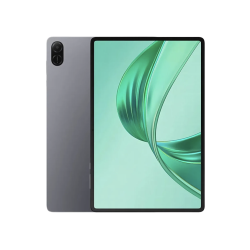
- Display: 11-inch TFT LCD, 1200×1920 Pixel Resolution
- Processor: Snapdragon 680 Octa-Core
- Memory: 4GB RAM, 128GB Internal Storage
- Battery: 8300mAh, LTE Connectivity

- Display: 11-inch TFT LCD, 1200×1920 Pixel Resolution
- Processor: Snapdragon 680 Octa-Core
- Memory: 6GB RAM, 128GB Internal Storage
- Battery: 10100mAh, LTE Connectivity